
Remaker AI Review: Face Swap, Features, Pricing & Complete Guide (2026)
Remaker AI is one of the most searched AI tools in the world in 2026. Most people want the same three things: free face swap, how to use it, and whether it's worth paying for. This review covers all of it — based on hands-on testing of every major feature.
Best-in-class face swap
📌 Quick Summary
| Type | Browser-based AI image & video editing platform |
| Tagline | "The Easiest Way to Recreate Any Image" |
| Flagship feature | AI Face Swap (single, multi, batch, video) |
| Free plan | 30 credits on signup — no credit card required |
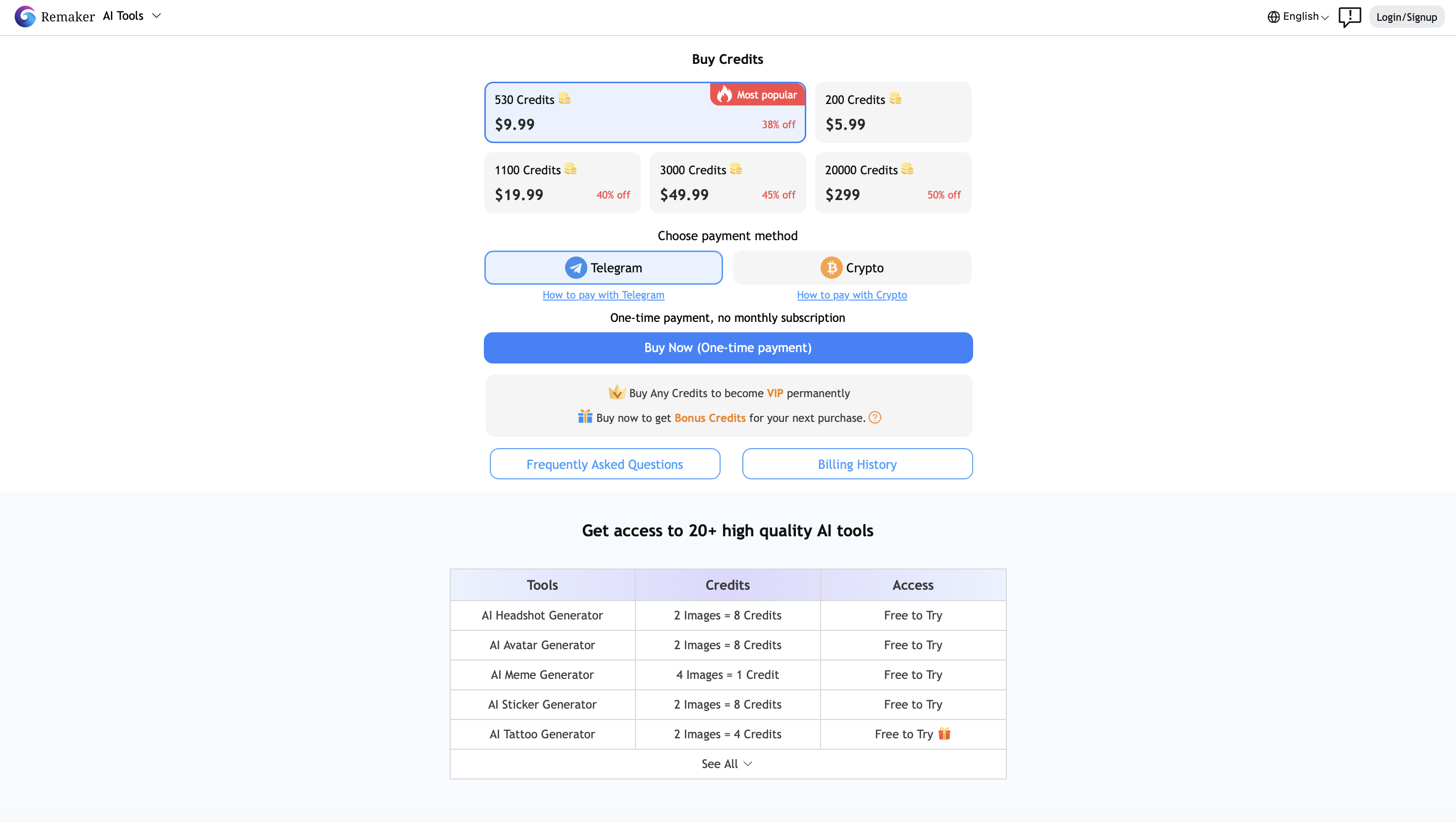
| Paid plans | Credit bundles from ~$5.99 (one-time, no subscription) |
| Platform | Web browser + official iOS & Android apps |
| Monthly searches | 840K+ (India), 1.5M globally |
| Overall verdict | Recommended for casual to semi-professional use |
📋 Table of Contents
What Is Remaker AI?
Remaker AI is a browser-based, AI-powered creative platform that bundles multiple image and video editing tools into a single web interface — no download, no installation required. Its tagline is "the easiest way to recreate any image," and that sums up the core idea well.
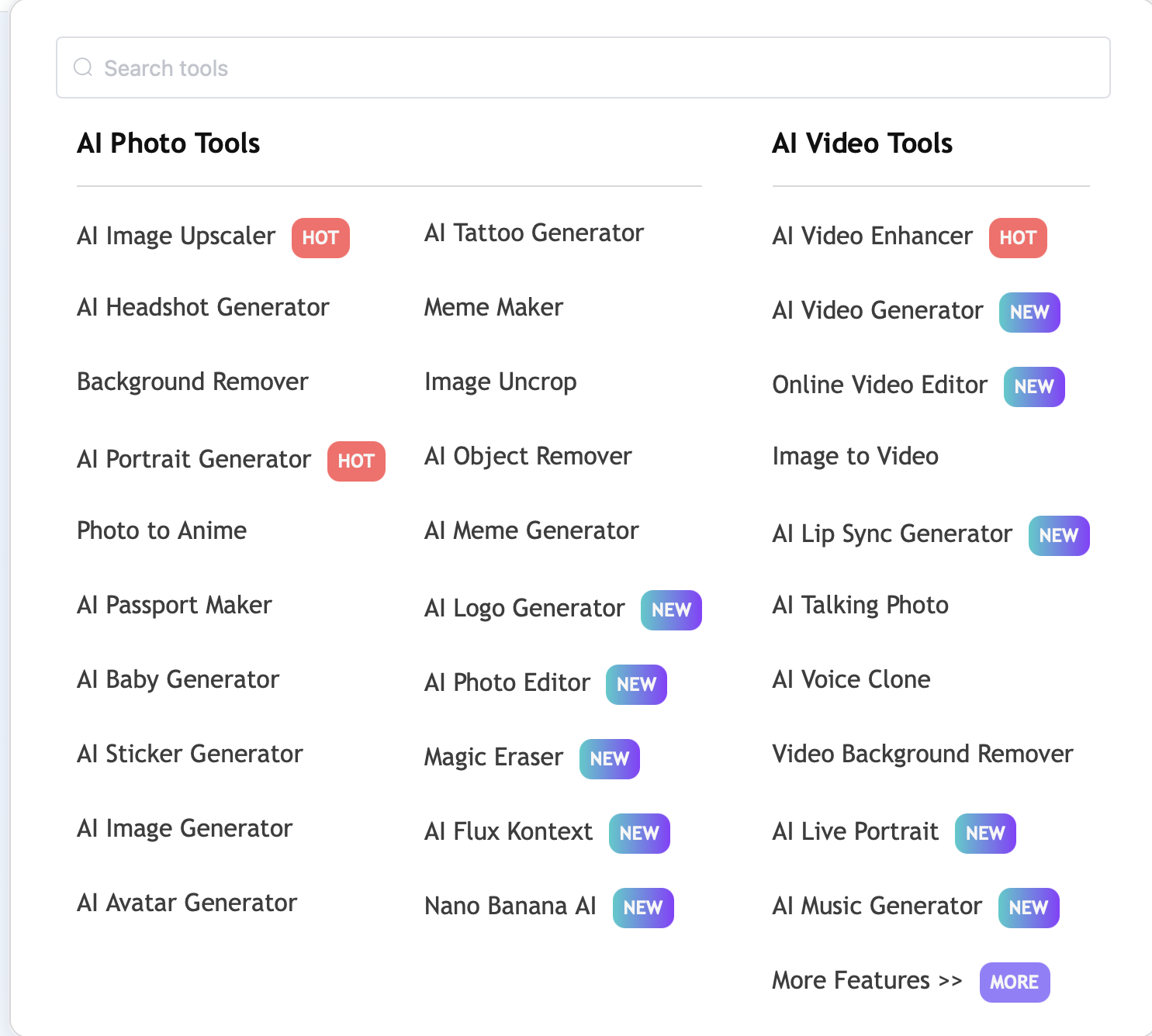
The platform launched primarily as a face swap tool and has since expanded into a full-suite AI editor covering image upscaling, background removal, AI portrait generation, text-to-image art, video generation, and image-to-video animation. Everything runs in your browser and is accessible with a free account.
The target audience is wide: casual creators making memes, social media managers editing product photos, content creators experimenting with AI art, and small businesses handling image production at scale. It's built for people who want professional-quality edits in seconds — without Photoshop, without technical skills, and without a monthly subscription.
Key Features of Remaker AI
AI Face Swap — The Flagship Feature
Face swapping is what Remaker AI is best known for, and it's genuinely good. The tool uses deep learning to analyze facial features, skin tones, lighting, and expressions — then replaces one face with another while keeping the original background and body intact.
Four face swap modes are available:
| Mode | What It Does |
|---|---|
| Single face swap | Replace one face in a photo with another |
| Multi-face swap | Swap multiple faces in a group photo simultaneously |
| Batch face swap | Process up to 50 images at once |
| Video face swap | Apply face swaps to video clips (requires credits) |
The platform offers two processing versions: V1 (faster) and V2 Beta (better quality and blending). V2 produces noticeably more realistic results and is recommended for any image you plan to share. In independent testing, face swaps worked convincingly across varied lighting conditions, angles, and skin tones — with an estimated 87% hit rate for zero-configuration inputs.
AI Photo Editor
The photo editor offers two distinct editing modes:
- Prompt Edit Mode: Type a text instruction to change something in an image — change clothing, alter background, modify expressions, add or remove objects.
- Transform Object Mode: Brush over an area of the image to remove or repaint that specific region.
Multiple AI models power this feature at different credit costs:
| Model | Best For | Credits Per Edit |
|---|---|---|
| ByteDance Seedream 4K | High-res editing, detailed precision | 6 credits |
| Google Nano Banana | Consistent facial edits | 8 credits |
| Flux Kontext Dev | Budget-friendly enhancement | 2 credits |
Background Remover
One of Remaker AI's most reliable tools. It isolates the subject from any background and exports a clean PNG or WebP with transparency.
- Batch process up to 50 images simultaneously
- No watermark, no signup required for basic use
- Works with JPEG, PNG, and WebP formats
Especially useful for e-commerce sellers who need product images cleaned up at scale without manually editing each one.
AI Image Upscaler
Uses machine learning to increase image resolution and sharpness — inferring what the image should look like at a higher resolution rather than just stretching pixels. Supports batch processing and JPEG/PNG inputs.
Best for: enhancing low-resolution social media assets, restoring old photos, preparing images for print. Note: independent testing rates this as Remaker's weakest feature — improvements can be marginal.
AI Video Generator
Converts text prompts or still images into short animated clips. The most credit-intensive feature on the platform:
| Model | Credits (approx. 5 sec) | Resolution |
|---|---|---|
| Remaker 2.0 Turbo | 11 credits | 480p, 720p |
| Remaker 2.0 Standard | 18 credits | 480p, 720p |
| Remaker 1.0 Pro | 30 credits | 480p, 720p |
| Remaker 1.0 Animation | 30 credits | 480p, 720p |
Additional Tools
- AI Portrait Generator: Generates stylized images from text prompts. Works well for profile pictures and avatar creation.
- AI Art Generator (Text to Image): Standard text-to-image generation with multiple model options. Convenient as a bundled feature, though dedicated tools like Midjourney outperform it for serious creative work.
- AI Talking Video: Turns a static photo into a talking video clip. Results can appear slightly unnatural; useful as a novelty feature.
- Watermark Remover: Detects and cleanly removes watermarks from images — useful for licensed stock and archival assets.
How to Use Remaker AI Face Swap — Step by Step
The face swap workflow takes under two minutes from start to download.
Open the platform
Go to remaker.ai in your browser. No download needed. Basic features are accessible without creating an account.
Select Face Swap
From the left-rail dashboard, click Face Swap. Choose your swap type: single, multiple, batch, or video.
Upload your source image
Click Upload Image and load the photo containing the original face — the one you want to replace.
Upload the swap face
Click Upload Swap Image and load the photo with the face you want to swap in. Use clear, well-lit, front-facing photos for best results.
Choose V1 or V2
Select V1 for speed or V2 Beta for higher quality. V2 is recommended for anything you plan to share or publish.
Click Swap, then download
Processing takes a few seconds. A preview appears when complete. Click Download to save. Free users receive a watermark; paid credits deliver watermark-free HD exports.

Remaker AI Pricing: Credits Explained
Remaker AI uses a one-time credit system rather than traditional monthly subscriptions. You purchase a credit bundle and spend credits as you use features — no automatic renewals, no recurring billing.
| Plan Type | Credits | Best For |
|---|---|---|
| Free (signup) | 30 credits — no card required | Testing all core features |
| Entry bundle | From ~$5.99 | Occasional personal use |
| Mid-tier bundle | Higher credit volumes | Regular content creators, marketers |
| Large bundle | Maximum credits | E-commerce, agencies, power users |
Key pricing facts
- All purchased credits are permanent — they don't expire
- One-time purchase — no subscription trap, no auto-renewal
- Payment currently via crypto and Telegram only (card payments not supported)
- Free plan exports include watermarks; paid credits remove watermarks and enable HD exports with commercial rights
Pros and Cons
✓ Pros
- No download, no install — runs entirely in the browser on any device
- 30 free credits on signup, no credit card required
- All-in-one platform: face swap, background removal, upscaling, AI art, video — one credit balance
- Batch process up to 50 images simultaneously
- No subscription lock-in — pay only for what you use
- Strong V2 face swap quality across varied lighting and skin tones
- Uploaded images auto-deleted after 48 hours
- Official iOS and Android apps available
✗ Cons
- Free 30 credits run out quickly when testing multiple features
- Card payments not supported — crypto and Telegram only
- AI Image Upscaler is the weakest tool — improvements often marginal
- Video generation is expensive in credits (11–30 per 5-second clip)
- Occasional platform downtime during peak usage
- Customer support responsiveness is frequently flagged as poor
- Watermarks on all free exports
- Commercial rights terms need careful review before client use
Is Remaker AI Safe?
This is a common question — face swap tools handle personal photos, so data handling matters.
Platform safety
| Safety Factor | Status |
|---|---|
| Encrypted connections (HTTPS) | ✓ Active |
| Image storage | ✓ Auto-deleted within 48 hrs |
| Permanent image collection | ✓ Not stored per privacy policy |
| NSFW content filters | ✓ Active on generation features |
| Third-party APKs claiming to be Remaker AI | ⚠ Unofficial — avoid |
Ethical use reminders
- Never use face swap to create content that impersonates someone without their consent
- Never use outputs to create misleading or harmful content about real people
- Laws around AI-generated content and digital identity vary by country — ensure compliance with local regulations
- For commercial use involving real people's faces, obtain proper consents as you would for any photography project
Remaker AI is safe for casual creative use. For professional or commercial projects, apply the same standards you would to any photography or video workflow.
Remaker AI vs Alternatives
| Tool | Best For | Free Tier | Pricing | Face Swap | Video |
|---|---|---|---|---|---|
| Remaker AI | All-in-one casual editing | Yes (30 credits) | ~$5.99 one-time | ✓ Best feature | ✓ |
| Canva | Design templates, branding | Yes | $15/mo subscription | ✗ | Limited |
| AKOOL | Pro face swap with lip sync | Limited | Subscription | ✓ Lip sync | ✓ |
| PicWish | Background removal focus | Yes | Credit or subscription | ✗ | ✗ |
| Pica AI | Face swap + avatar | Yes (limited) | Credit-based | ✓ | ✓ |
| Magic Hour | Video face swap, deepfake-grade | Limited | Subscription | ✓ | ✓ Higher quality |
| DeepSwap | Video face swap specialist | ✗ | Subscription | ✓ | ✓ |
Where alternatives win: AKOOL and Magic Hour produce higher-quality video face swaps. Canva dominates for design workflows. PicWish handles background removal with more precision controls.
Who Is Remaker AI Best For?
Content creators and social media managers
Need fast, varied AI editing — from face swaps for memes to background removal for posts — without managing multiple tools or subscriptions.
E-commerce sellers
Shopify, Etsy, and Amazon sellers who need product images cleaned, upscaled, and background-removed in bulk without hiring a photo editor. The batch processing alone makes this worthwhile.
Casual and entertainment users
Anyone who wants to insert themselves into movie scenes, create meme content, or experiment with AI-generated portraits — with no technical skill required. The free 30 credits cover everything needed to explore the platform.
Digital marketers
Need AI headshots, ad creative variations, and background-clean product visuals produced quickly and affordably for campaigns.
Freelancers
Handle light image editing across multiple clients and want a single-credit-pool tool that covers most standard requests without platform-switching.
Final Verdict: Recommended for Most Users
Remaker AI earns its popularity. In 2026, it remains one of the most accessible and versatile AI creative platforms for casual and semi-professional use — and its face swap tool specifically is genuinely among the best free-to-try options available anywhere.
The all-in-one credit model, 30 free starting credits, and zero-install browser access remove every barrier to getting started. For users who need a wide range of AI editing capabilities without juggling multiple subscriptions, the platform delivers strong value. The real limitations — a weak upscaler, expensive video generation, and no card payments — are specific and predictable rather than deal-breaking.
The practical summary:
- 1 Use Remaker AI if you want free face swap, background removal, and image editing in one place without subscriptions
- 2 Start with the free 30 credits — no card, no commitment
- 3 Only access through the official site remaker.ai — avoid unofficial APKs
- 4 Always use face swap content responsibly and with appropriate consent
Frequently Asked Questions
Methodology & Disclosure
Data sources: Ahrefs (keyword and SERP data, June 2026), hands-on feature testing, independent third-party review analysis from Fritz.ai, Global Tech Council, Cashify, and AppCritica.
Limitations: Credit pricing and plan details may change — always verify current pricing at remaker.ai before purchasing. Feature availability may vary by account type.
Disclosure: RAIN AI Services is not affiliated with Remaker AI or any platform mentioned in this review. No affiliate commissions are received for Remaker AI. This article was written for informational purposes based on publicly available data and independent testing.
Based on publicly available data and independent testing as of June 2026. Pricing and features may change — verify at remaker.ai before making purchase decisions.